

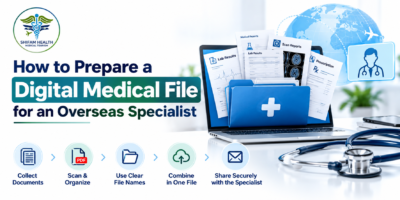



Imagine you have decided to seek a specialist’s opinion from another country. You have laboratory reports, prescriptions, scan results, discharge summaries and perhaps several years of medical records saved across your phone, email inbox and WhatsApp conversations.
You send everything you can find. A few reports are blurred, some documents have unclear dates, and the latest prescription is buried between older test results. The specialist may still be able to review the case, but finding the important information can become unnecessarily difficult.
Preparing digital medical records for an overseas specialist is about making your medical history clear, complete, readable and easy to review not simply sending as many files as possible.
This matters particularly when you are considering treatment in India. Before a hospital or specialist can advise you about possible next steps, the team may need to understand your diagnosis, previous treatment, current medicines, recent investigations and overall medical condition. The exact documents required depend on the condition and the specialist’s question.
The US Office of the National Coordinator for Health Information Technology advises patients to clarify which records they need and how the receiving provider prefers to receive them. Its guidance recognizes that records can be extensive and may be shared in formats such as PDFs, documents or images. Read the official guidance on getting health records.
In this guide, you will learn how to build a digital medical file, organize reports in a logical order, prepare diagnostic images, protect your privacy and send medical reports to India for a specialist review.
What Is a Digital Medical File?

A digital medical file is an organised collection of electronic documents and diagnostic information that explains a patient’s medical history and current health concern.
Depending on your condition, it may contain:
- Medical reports and confirmed diagnoses.
- Laboratory and pathology results.
- Radiology reports and original imaging files.
- Prescriptions and current medication details.
- Hospital discharge summaries and operation notes.
- Previous treatment records and follow-up assessments.
- A short summary explaining the reason for seeking another opinion.
The purpose is to give the receiving specialist a reliable overview of your case before the consultation.
A digital file is not necessarily the same as a complete electronic health record. You may not need every document ever created by every healthcare provider. For an initial review, a carefully selected set of relevant records may be more practical, provided it contains the information needed to assess your question.
Step 1: Identify What You Want the Specialist to Review
Before collecting documents, write down the main reason you are seeking an overseas specialist’s opinion.
This step is easy to overlook. Patients sometimes begin by downloading every available record without first deciding what the specialist needs to assess.
Your clinical question helps determine which documents are relevant.
For example:
| Reason for consultation | Records that may be particularly relevant |
|---|---|
| Seeking a second opinion about a cancer diagnosis | Pathology report, biopsy findings, relevant imaging, staging investigations, previous treatment records and current clinical notes |
| Considering heart surgery | Echocardiography report, ECG, relevant cardiac imaging, angiography findings where available, medication list and cardiology notes |
| Reviewing a kidney condition | Creatinine and eGFR trends, urine tests, relevant imaging, medication history and nephrology notes |
| Considering joint replacement | Recent X-rays or other relevant imaging, radiology report, orthopedic assessment, previous treatments and mobility-related concerns |
| Seeking a neurological opinion | Neurological assessments, MRI or CT reports and images where relevant, medication history and previous treatment records |
These are examples, not universal document requirements. Your specialist may request additional information or may not need every item in the table.
Write down your main questions
Before submitting the file, consider what you need the consultation to clarify.
For example:
- Is the current diagnosis supported by the available findings?
- Are additional investigations needed?
- What treatment options might be appropriate?
- Is surgery being considered, and what factors could affect eligibility?
- What additional records are needed before the specialist can provide an opinion?
- If treatment abroad is being considered, what further evaluation would be required?
Keep your questions specific. “Please review everything” gives less direction than “Please review the diagnosis and advise whether additional investigations are needed before treatment options can be discussed.”
Step 2: Collect the Relevant Medical Documents
Once you know the purpose of the consultation, gather the records that help explain the condition and its progression.
1. Diagnostic reports and confirmed diagnoses
Include the available records explaining what condition has been diagnosed, suspected or investigated.
These may include specialist assessments, diagnostic summaries, pathology reports, biopsy findings or other condition-specific investigations.
If the diagnosis is not yet confirmed, do not label it as confirmed in your summary. Clearly distinguish between a suspected diagnosis and one established by a qualified clinician.
2. Laboratory and investigation results
Collect relevant blood tests, urine tests and other investigations requested or performed during the evaluation of the condition.
Where possible, include the test date, result, unit and laboratory reference range. Reference ranges can differ between laboratories, so retaining the original report helps the receiving specialist interpret the result in context.
For conditions that change over time, a series of results may be more informative than a single value. For example, a sequence of creatinine measurements may help show how kidney function has changed. Do not remove earlier results simply because they appear less favourable than more recent ones.
3. Radiology reports and diagnostic images
Collect the written reports for relevant X-rays, ultrasound examinations, CT scans, MRI scans and other imaging studies.
However, remember that a written radiology report and the original diagnostic images are not the same thing.
A specialist may need to review the actual images, particularly when assessing a possible operation, comparing disease progression or planning a procedure. Ask the receiving hospital whether the written report is sufficient or whether it also needs the original image files.
4. Prescriptions and medication history
Prepare a current list of all medicines, including:
- Generic or brand name as written on the prescription.
- Dose and strength.
- How often the medicine is taken.
- Route of administration, where relevant.
- Reason for taking it, if known.
- Any recent changes in medication.
Include relevant non-prescription medicines, vitamins, supplements and known medication allergies. If you have stopped a medicine recently, mention the name and approximate date it was stopped when this information is relevant.
Do not change or stop prescribed medicines simply to prepare your file.
5. Hospital admission and treatment records
If you have previously been admitted to hospital, include relevant discharge summaries, operation notes, procedure reports and follow-up assessments.
For a patient who has already undergone surgery or another major procedure, these records may help explain what was done, what findings were recorded and whether complications occurred.
If the original report is unavailable, do not recreate it from memory and present it as an official document. Explain that the record is missing and request a copy from the hospital if necessary.
6. Previous treatment and response
If you have already received medication, chemotherapy, radiotherapy, dialysis, surgery or another treatment, provide the relevant treatment history.
Include dates, treatment names and available assessments of response. For ongoing treatment, explain what is currently being administered and whether any treatment is scheduled soon.
The specialist should not have to guess whether a test was performed before or after a treatment began.
Step 3: Arrange the Records in Chronological Order
After collecting the documents, organise them so that the clinical story is easy to follow.
A practical approach is to use a consistent date format and place the newest relevant assessment near the beginning of the file. Older records should still be available when they help explain the progression of the condition.
For example:
| Date | Document | Why it matters |
|---|---|---|
| 12 January 2026 | Initial specialist consultation | Explains the presenting symptoms and initial assessment |
| 18 January 2026 | Diagnostic investigation | Records findings used during the diagnostic process |
| 25 January 2026 | Treatment started | Establishes when treatment began |
| 20 February 2026 | Follow-up test | Helps assess changes after treatment |
| 10 March 2026 | Latest specialist assessment | Provides the most recent documented clinical overview |
These dates are illustrative only. Use the actual dates shown on your records.
If a report has a different date from the test itself, retain the dates as documented. For example, an imaging study may have been performed on one date and its report issued later.
Practical tip: Create a one-page document index with three columns: date, document name and page count. This makes it easier for the specialist or coordination team to identify a missing report without opening every file.
Step 4: Prepare a One-Page Medical Summary

A concise medical summary is one of the most useful additions to a digital medical file. It gives the receiving team a starting point without replacing the original clinical records.
Keep the summary factual. It should reflect the available documents, not your own interpretation of what the results mean.
What to include in the summary
Patient details
- Full name as shown on the medical records.
- Date of birth, where required for identification.
- Relevant hospital or patient identification number, if requested through an appropriate secure channel.
Reason for consultation
- The main diagnosis or health concern.
- The question you want the specialist to address.
- The reason you are seeking another opinion.
Medical history
- When the problem began, as accurately as you know.
- Important previous diagnoses and procedures.
- Relevant existing medical conditions.
- Previous treatments and documented response.
Current status
- Recent symptoms and their approximate onset.
- Current medicines and known allergies.
- Latest relevant test results.
- Any recent hospital admission or change in condition.
Supporting documents
- A short index of the attached reports.
- Dates of important investigations.
- A note identifying any missing records or pending tests.
Avoid lengthy descriptions of every symptom you have ever experienced. Focus on the information relevant to the specialist’s question.
Example of a concise clinical summary
The following is a fictional formatting example, not a real patient case.
Reason for consultation: Review of a previously diagnosed knee condition and discussion of possible treatment options.
Relevant history: Knee pain began approximately eight months ago. Previous non-surgical treatment is documented in the attached orthopaedic notes.
Investigations: Knee X-ray performed on 14 February 2026. Radiology report attached.
Current treatment: Medicines are recorded in the attached medication list.
Purpose of review: Request the specialist’s assessment of the available findings and advice on whether further investigations are required.
Additional information: No operation has been performed for this condition. The latest orthopaedic assessment is dated 2 March 2026.
If you are unsure about a date, diagnosis or medicine, state that the information needs confirmation rather than guessing.
Step 5: Use Clear File Names and a Logical Folder Structure
A folder containing files named IMG_001, Scan2, ReportNew and FinalFinal may be understandable to you today but confusing to someone reviewing the case later.
Use filenames that identify the document and its date without becoming excessively long.
For example:
2026-03-10_Cardiology_Consultation.pdf2026-03-12_Echocardiography_Report.pdf2026-03-15_Creatinine_Lab_Report.pdf2026-03-18_Current_Medication_List.pdf2026-03-20_Medical_Summary.pdf
Use dates in YYYY-MM-DD format to help files sort chronologically. Do not change the date shown on the original document; the filename is simply an organisational aid.
Suggested digital medical file structure
Medical_File/
├── 01_Medical_Summary/
├── 02_Specialist_Consultations/
├── 03_Laboratory_Reports/
├── 04_Radiology_Reports/
├── 05_Diagnostic_Images/
├── 06_Prescriptions_and_Medicines/
├── 07_Hospital_and_Procedure_Records/
└── 08_Previous_Treatment_and_Follow_Up/
You do not need to create every folder if it does not apply to your case. The aim is to keep the records easy to navigate, not to create extra work.
Step 6: Check the File Format and Readability
A file can upload successfully and still be unsuitable for clinical review. Before sending anything, open each document and check that the information is visible.
PDF, photograph or scanned document?
| Format | When it may be useful | What to check |
|---|---|---|
| Reports, prescriptions, discharge summaries and compiled documents | Text is readable, pages are complete and orientation is correct | |
| JPG or PNG | A clear photograph or image of an individual document, if accepted | No glare, shadows, cut-off edges or blurred text |
| Original imaging files | Diagnostic imaging that the receiving specialist needs to review | Confirm the required format and transfer method with the hospital |
| Word document | A medical summary or document requested in editable form | Names, dates and formatting remain clear |
Ask the receiving hospital which formats it accepts. A PDF is convenient for reading, but a scanned PDF may contain only page images rather than searchable text. The ONC’s official guidance explains that medical records can be supplied in different digital formats and recommends checking the receiving provider’s preferences. Source: ONC — Getting your health records.
How to scan medical reports properly
- Place the paper on a flat, well-lit surface.
- Capture the entire page, including the header, date, result and any laboratory reference range.
- Keep the camera directly above the document to avoid distortion.
- Check that small text, stamps and handwritten notes remain legible.
- Rotate pages so they can be read normally.
- Save the pages in the correct order.
- Open the finished file on a different screen or device to check readability.
If a report is too faint or damaged to read, request a clearer copy from the original provider where possible.
Do not crop out abnormal results, comments, laboratory reference ranges or other details simply to make the document look cleaner.
Should you merge every report into one PDF?
Not necessarily.
A single PDF may be convenient for a small set of short documents, but combining hundreds of pages can make the file difficult to navigate and exceed upload limits.
A practical arrangement is to keep the medical summary and document index separate, then group reports into a few clearly named files. Keep original documents unchanged in a separate folder.
Follow the hospital’s instructions if it requires individual uploads, a specific file-size limit or a particular naming convention.
Step 7: Include Original Diagnostic Images When Needed

One of the most important mistakes to avoid is assuming that the written report contains everything the specialist needs.
For imaging such as CT, MRI and certain X-ray studies, the original image data may be necessary for a detailed review or treatment planning. The report records the interpreting clinician’s findings; it is not a substitute for the image itself when the specialist needs to examine it.
Depending on the imaging system, original studies may be supplied through a secure imaging portal, a download package or a physical storage device. DICOM is a widely used standard for medical imaging data.
Before requesting the files, ask the imaging centre:
- Can you provide the original study, not only the written report?
- What format will be supplied?
- Are all relevant image series included?
- Is there a secure download option?
- Is the download link time-limited?
- Does the receiving hospital have a preferred imaging transfer process?
Do not assume that a photograph of a scan displayed on a monitor is equivalent to the original imaging study.
Also, keep the associated radiology report. The images and the written interpretation serve related but different purposes.
Step 8: Translate the Records Carefully
If your records are in Arabic, Russian, French, Bengali or another language, ask the receiving hospital whether it requires an English translation.
Do not assume that every document needs a certified translation. Requirements depend on the institution, document type and purpose of the review.
If a translation is required, use a suitable translator and retain the original document alongside the translation.
What needs particular attention?
- Diagnosis names and medical terminology.
- Drug names, strengths and dosing instructions.
- Units and decimal points in laboratory results.
- Dates, including differences in date formats.
- Negations such as “no evidence of” or “not detected.”
- Handwritten notes and abbreviations.
A translation error can change the meaning of a clinical finding. For example, confusing a medicine’s strength with its dose or misreading a decimal point in a laboratory result may create avoidable uncertainty.
If a handwritten prescription cannot be read reliably, request clarification from the prescribing clinician or pharmacist. Do not guess.
Where a translation has been prepared for clinical review, label it clearly as a translation and retain the source document so the receiving team can compare them if needed.
Step 9: Protect Patient Privacy Before Sharing the File
Medical records contain sensitive personal information. Preparing them for an overseas consultation should include checking not only what you are sending but also how you are sending it.
The World Health Organization identifies communication breakdowns and problems with health information systems among the factors that can contribute to patient harm. Clear, purposeful information exchange is an important part of safer care. Source: WHO — Patient safety.
Use the receiving provider’s approved method
Whenever possible, use the hospital’s or provider’s secure patient portal, approved upload facility or other authorised transfer method.
If you are asked to use email or a messaging service, confirm the intended recipient and whether that channel is approved for medical documents. Avoid sending sensitive files to an unverified account or an unknown contact who claims to represent a hospital.
Follow these precautions
- Confirm the identity and contact details of the recipient.
- Share only the records needed for the consultation or requested by the receiving provider.
- Obtain the patient’s permission before sharing another person’s records, and confirm that you are authorised to do so.
- Use access controls or password protection when recommended by the receiving provider.
- If sending a password-protected file, share its password through a separate, appropriate channel.
- Avoid public links that allow anyone with the link to access the records.
- Check who can access shared cloud folders and remove unnecessary permissions when appropriate.
- Keep a copy of what was sent and record the date and recipient.
If you are sending a child’s records or helping another adult, check what consent or authorisation is required. Requirements can vary according to the patient’s age, decision-making capacity and applicable rules.
Do not remove clinically relevant information merely to make the file shorter. If a document contains information you are concerned about sharing, ask the receiving provider how to handle it appropriately.
Step 10: Send Medical Reports to India for Specialist Review
Once your file is organised, the next step is to confirm what the intended hospital or specialist needs.
Do not assume that every hospital uses the same submission process. Some may request reports through a patient portal, while others may provide an email address, upload form or instructions from their international patient department.
A simple process is:
1. Confirm the correct recipient. Verify the hospital, department or authorised coordinator and the appropriate contact channel.
2. Ask what is required. Explain the condition and purpose of the consultation, then confirm which records, image files and translations are needed.
3. Send the organised file. Include a concise medical summary, an index and the relevant reports. Use the requested file format and size limits.
4. Confirm receipt. Check whether the files opened correctly and whether any documents are missing or unreadable.
5. Ask about the next step. Depending on the case, the specialist may request more investigations, a formal consultation or additional clinical details before giving an opinion.
6. Keep the original records. Retain the source files and bring or transfer them as instructed if you travel for treatment.
What if the specialist asks for additional reports?
This is not necessarily a sign that your initial file was poorly prepared. The specialist may need a particular investigation, more recent results or original images to answer the clinical question.
Ask for the exact name of the missing document, the relevant date range and the preferred format. If the record does not exist or cannot be obtained, explain that clearly.
Do not repeat an investigation or arrange a new test solely because you think it might be useful without first asking the treating team whether it is indicated.
Step 11: Avoid These Common Mistakes
| Common mistake | Why it causes difficulty | What to do instead |
|---|---|---|
| Sending dozens of unlabelled attachments | The clinical team may struggle to identify the relevant documents | Use descriptive filenames and a document index |
| Sending only the latest report | Earlier findings may explain how the condition developed | Include relevant historical results when they help show progression |
| Providing images without the written report | The specialist may lack the accompanying interpretation | Include both where available and relevant |
| Sending only a radiology report when images are required | The specialist may need to review the original study | Confirm whether original imaging files are necessary |
| Using blurred photographs | Important details may be unreadable | Rescan or request a clearer copy |
| Omitting current medicines | The specialist may not know the patient’s current treatment | Include a current, dated medication list |
| Mixing dates or using vague filenames | It becomes harder to establish the order of events | Use consistent date formatting and clear labels |
| Guessing a diagnosis or translating medical terms yourself | The summary may misrepresent the clinical record | Use documented wording and clarify uncertainties |
| Sending sensitive files to an unverified contact | Patient information may be exposed to the wrong recipient | Verify the recipient and use an approved transfer method |
| Editing original reports to make them shorter | Important findings or context may be lost | Keep originals intact and prepare a separate summary |
Step 12: Know When to Contact the Hospital or Specialist
Contact the receiving hospital or authorised coordinator before sending the file if you are unsure which documents are required, whether original imaging is needed, what translation standards apply or how to transfer large files securely.
You should also ask for clarification if:
- You have multiple versions of the same report.
- The dates on your reports appear inconsistent.
- A pathology report or operation note is missing.
- Your records are incomplete because treatment took place at several hospitals.
- You have a new diagnosis or a significant change in symptoms since the last report.
- The specialist has requested additional tests but you do not understand which ones are required.
If the patient’s condition is worsening or there are urgent symptoms, do not wait for a remote review or an administrative response. Seek appropriate local medical care. Severe chest pain, significant difficulty breathing, signs of stroke, loss of consciousness or other potentially life-threatening symptoms require urgent assessment according to local emergency guidance.
A digital medical file supports clinical communication; it is not an emergency-care service and cannot replace a physical examination or urgent investigations when these are needed.
Digital Medical File Checklist Before You Send
Use this checklist to make a final review of your documents.
- I have identified the main question for the specialist.
- My medical summary is factual and up to date.
- Relevant diagnoses and previous treatments are documented.
- Important laboratory reports include dates and readable results.
- Relevant radiology reports are included.
- I have confirmed whether original imaging files are needed.
- Current medicines and known allergies are documented.
- Relevant discharge summaries and procedure records are included.
- Files are clearly named and arranged logically.
- All pages are readable, complete and correctly oriented.
- Translations are included where required, with the originals retained.
- The recipient and transfer method have been verified.
- I have permission or appropriate authorisation to share the records.
- I have retained copies of the files and noted what was sent.
- I have checked whether any additional information is still required.
You do not need to delay contacting the hospital just because one non-essential record is missing. Tell the receiving team what is available and ask whether the missing document is necessary for the initial review.
How Shifam Health Can Help You Prepare for a Specialist Review in India
For international patients, organising medical documents can be only one part of planning treatment abroad. You may also need to identify the appropriate hospital department, understand the consultation process, arrange communication and clarify what additional information the clinical team requires.
Shifam Health assists international patients with treatment coordination in India, including hospital and doctor coordination and related travel-planning support.
If you are considering a specialist consultation in India, you can contact Shifam Health for a free consultation. You can explain your medical concern and ask about the process for sharing reports and identifying the next steps.
Before sending sensitive medical records, confirm the authorised recipient and the appropriate method of transfer. The medical opinion itself must come from a qualified healthcare professional, and the specialist may need additional records, investigations or an in-person assessment before making recommendations.
You can also read our guide on how to get a remote medical second opinion from India to understand the broader consultation process.
Frequently Asked Questions
What documents should I send to an overseas specialist?
Start with the records relevant to your medical concern: specialist notes, confirmed or suspected diagnoses, relevant laboratory results, imaging reports, prescriptions, current medicines and previous treatment records. Depending on the condition, the specialist may also need original imaging files, pathology material or operation notes. Ask the receiving provider for its specific requirements.
How can I protect my medical records online?
Verify the recipient, use secure sharing methods, restrict access and obtain consent before sharing someone else’s records.
Is a PDF sufficient for a medical consultation?
A PDF may be suitable for written reports, prescriptions and summaries, provided the pages are complete and readable. It may not be sufficient when the specialist needs original CT, MRI or other diagnostic images. Confirm the required format with the receiving hospital.
Do I need original MRI or CT scan files?
Not always. Specialists may need the original images in DICOM format or through a secure link for detailed review.
How do I send medical reports to India from another country?
Contact the intended hospital or authorized coordinator and confirm its preferred submission method. Organize the documents, include a short medical summary and index, check the file-size limits, and send the records through an approved channel. Confirm receipt and ask whether anything else is required.
How recent should my medical reports be?
It depends on your condition and the tests required. Ask the specialist which reports need updating.
Do I need to translate my medical reports into English?
Ask the receiving hospital. English translations may be useful or required, but requirements differ between providers and situations. If translation is needed, retain the original documents and ensure that medical terminology, dates, medication details and laboratory units are accurately represented.
What if I am missing a requested document?
Inform the medical team and ask whether the initial review can proceed with the available records.
Can a specialist confirm surgery from digital records alone?
A specialist may provide an initial opinion, but final decisions may require updated tests, a physical examination or an in-person assessment.
Conclusion
A well-prepared digital medical file helps an overseas specialist understand your case without having to search through a confusing collection of attachments. The most useful file is not necessarily the largest one. It is the one that presents the relevant history accurately, keeps reports readable, includes original diagnostic information when needed and makes the purpose of the consultation clear.
Start by defining your main question, collect the relevant records, arrange them chronologically, prepare a factual one-page summary and verify how the receiving hospital wants the documents shared. Keep the originals unchanged, protect patient privacy and identify any missing information honestly.
If you are considering treatment in India, organising these details before your consultation can make the information-sharing process more straightforward. The specialist can then advise you on the next steps based on the available evidence and any further assessment your case requires.